PageLyft MCP
A private MCP server I built for PageLyft to connect my AI tools to Google's SEO, analytics, and website management APIs. TypeScript, Bun, and Auth0 keep API access in one place and restricted to my account.
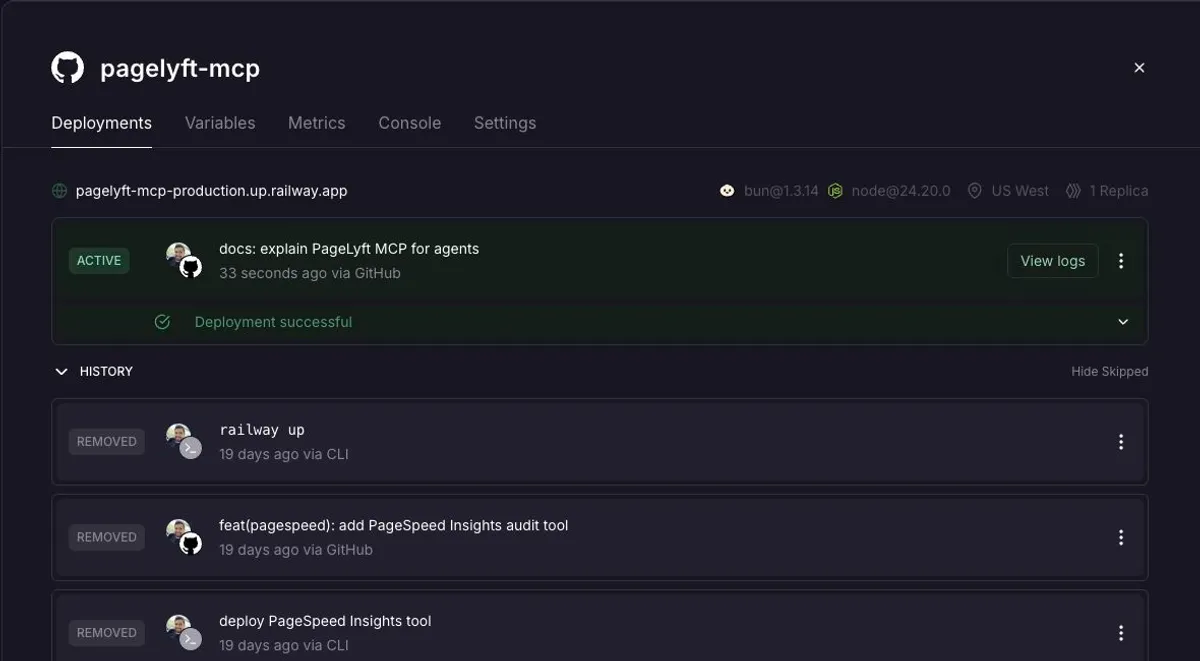
I built PageLyft MCP for the work I do at PageLyft, my web development and digital marketing business. It gives my AI tools access to the Google services I use to understand search performance, maintain tracking, and manage clients’ online presence.
The screenshot above shows the real production service on Railway. The server is private, so the project link goes to PageLyft rather than a public demo.
Why I built it
Client website work continues after launch. I need to check what people find in search, how they use a site, whether tracking works, and which pages need attention. Each question can mean opening another dashboard or writing another API request.
I wanted those capabilities available inside the AI tools I already use. A custom Model Context Protocol server gave me a consistent way to expose them while keeping credentials and access checks in one place.
What it can do
| Integration | Work the server supports |
|---|---|
| Search Console | Query search performance, inspect indexed URLs, and manage sitemap submissions. |
| Business Profile | Read location data and reviews, update profile fields, reply to reviews, and publish posts. |
| Google Analytics 4 | Query traffic reports and manage properties, web streams, key events, and custom definitions. |
| Tag Manager | Inspect tracking, edit tags and triggers in workspaces, preview changes, and publish container versions. |
| Google Ads | Query account and campaign data, validate changes, and create or update supported advertising resources. |
| PageSpeed Insights | Run page audits for performance, accessibility, SEO, and best practices. |
These tools expose individual API operations. I decide what work to do and review changes that affect a client’s account or public content.
How the server works
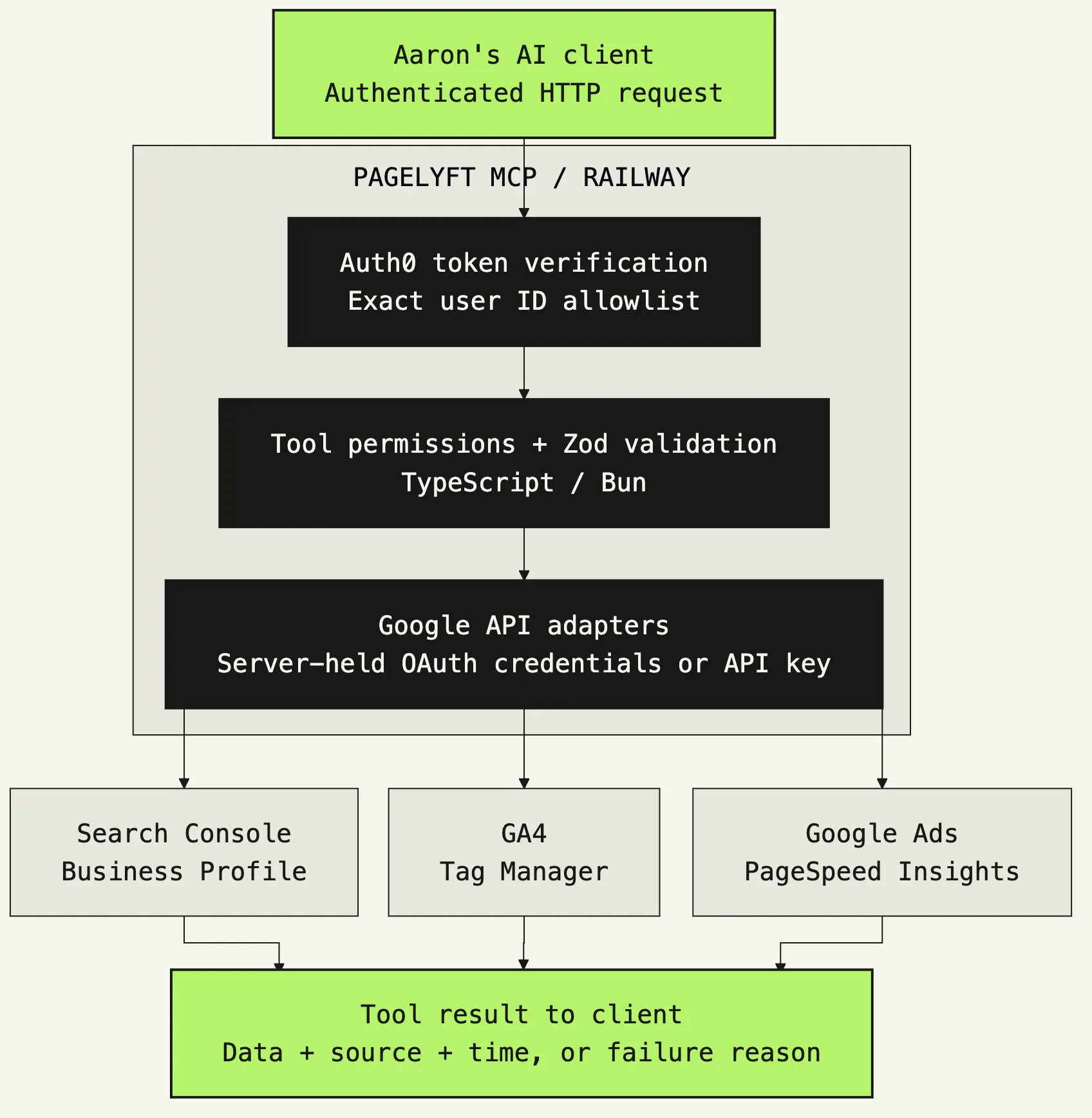
The server is a single TypeScript package running on Bun. An AI client sends a request over Streamable HTTP. The server verifies its Auth0 token, checks the account and tool permissions, validates the input with Zod, and calls the relevant Google API.
Google Cloud provides the API configuration and OAuth credentials. Railway runs the MCP service. Google OAuth credentials stay on the server; clients authenticate separately through Auth0. PageSpeed uses its own API key.
Each tool returns a consistent result with its source and fetch time. If access is missing or an API call fails, the tool returns an unavailable result with a reason. That gives the agent something concrete to report instead of treating missing data as a zero.
Access for one person
This server is built for me to use. A valid login alone is insufficient. The server also checks that the Auth0 user ID matches my configured account and that the token carries the permissions required by the requested tool.
Read access and write access have separate scopes. Google Ads mutations default to validation without saving, and new campaigns and responsive search ads default to paused. Those controls let me inspect proposed changes before applying them.
What this adds to my client work
PageLyft MCP puts the API operations behind SEO and website maintenance into a toolset I can reuse across client tasks. I can investigate a problem and prepare the next action in the same working session, with account data available to the agent.
I designed the server around small API operations so it can support new workflows without rebuilding the integration for each one. The reporting or decision-making stays with the agent and me.
Read why I built a custom MCP server for PageLyft for the implementation decisions, or visit PageLyft to see the business this tool supports.
Project Details
Quick facts- Completion Date
- August 2026
- Project URL
- https://www.pagelyft.studio/
- Technologies
- MCP Servers TypeScript Bun Google Cloud Platform OAuth 2.0 SEO GA4 GTM Google Business Profile REST APIs