OneMusicCrate - Take Your Music Library With You When You Switch Streaming Services
A music library management app that imports your Spotify library, finds and removes duplicate tracks, and keeps everything portable for the day you decide to leave a streaming service. Built with Next.js 16, better-auth, and Drizzle on PostgreSQL.
 View Source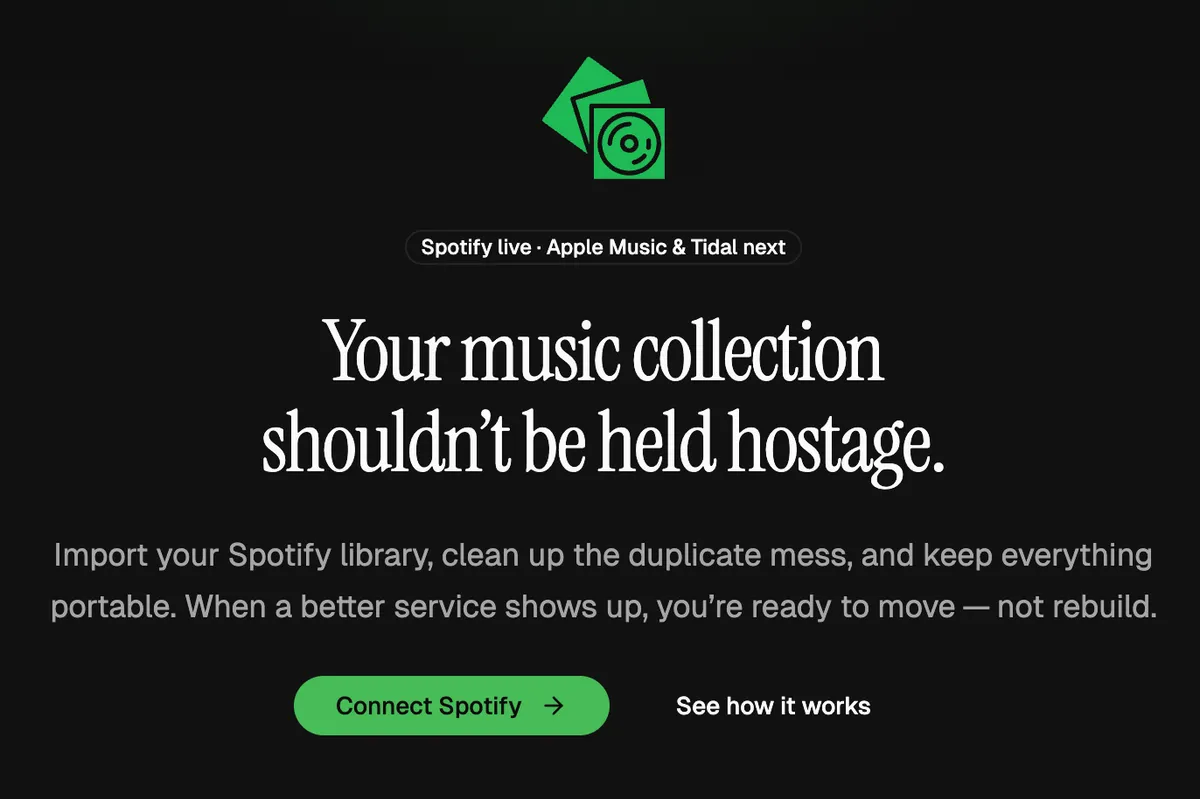
OneMusicCrate is a music library manager I built because I am tired of streaming services holding my listening history hostage. You import your Spotify library, clean up the duplicate mess, and keep everything portable for the day a better service shows up. When that day comes, you are ready to move, not rebuild.
Why I Built This
I have spent years building a Spotify library. Saved tracks, custom playlists, artists I follow. None of it is mine. If I ever wanted to try Apple Music or Tidal, I would have to start from scratch.
That is the problem. Streaming services compete on catalog and price, but they win on lock-in. The longer you stay, the harder it is to leave. OneMusicCrate breaks that pattern. Your library lives in a place you control, with a clean import-export path that does not depend on any one service surviving.
It is also a personal portfolio piece. I wanted a real product to test a stack I have been excited about for a while: Next.js 16 with the App Router, better-auth for authentication, Drizzle on PostgreSQL, and the Spotify Web Playback SDK for in-app listening.
Overview
OneMusicCrate is a full-stack web app focused on one thing: making your music library portable and easy to clean up.
- Spotify OAuth: Connect your Spotify account in one click and pull in your full library
- Library browser: Browse saved tracks and playlists with fast search
- Duplicate detection: Find and remove duplicate tracks across your library
- In-app playback: Stream tracks directly with the Spotify Web Playback SDK
- Account management: Email plus password, magic link sign-in, and connected service controls
- Multi-service architecture: Built so Apple Music and Tidal can be added next without a rewrite
Technical Breakdown
Tech stack: Next.js 16 (App Router), React 19, TypeScript, PostgreSQL, Drizzle ORM, better-auth, Spotify Web API, Spotify Web Playback SDK, TanStack React Query, TanStack React Virtual, Resend, shadcn/ui, Tailwind CSS v4, Zod.
- Built the full-stack app with Next.js 16 App Router and Server Actions for type-safe data mutations
- Used better-auth for email and password sign-in, magic link delivery, and Spotify OAuth in a single auth surface
- Modeled the schema with Drizzle ORM on PostgreSQL so types flow from the database to the UI without gaps
- Sent magic links and account emails through Resend
- Pulled saved tracks, playlists, and audio metadata from the Spotify Web API
- Added in-app streaming with the Spotify Web Playback SDK so users never have to leave the app
- Managed server state with TanStack Query for caching, background refetching, and optimistic updates
- Virtualized large library tables with TanStack React Virtual so a 3,000-track library still scrolls smoothly
- Built the UI with shadcn/ui primitives on top of Base UI and Tailwind CSS v4
- Validated every input with Zod at the server boundary
Key Features
- One-click Spotify import: Connect your account and the app pulls your saved tracks and playlists in the background
- Smart duplicate detection: Finds tracks that appear in multiple playlists or as different versions of the same recording, so cleanup takes minutes instead of hours
- In-app player: Play any imported track inline with the Spotify Web Playback SDK
- Magic link sign-in: Skip the password if you want, or set one for faster repeat visits
- Connected services panel: See what is linked to your account and disconnect at any time
- Multi-service ready: The data model treats Spotify as one of several possible sources, so Apple Music and Tidal can drop in without restructuring the schema
- Dark mode by default: A focused, calm interface designed for long browsing sessions
Technical Highlights
Virtualized Library Table
Loading a 3,000-track Spotify library into a single table tanked first paint and made scrolling feel laggy. The DOM was rendering thousands of rows that nobody could see at once.
I switched the table to row virtualization with @tanstack/react-virtual. Only the visible rows plus a small overscan buffer are rendered, so the DOM stays small no matter how big the library is. The result is instant first paint and smooth 60fps scrolling.
Authentication With better-auth
I wanted three sign-in paths in one place: email plus password, magic link, and Spotify OAuth. better-auth made that straightforward. The same session model covers all three, and adding a new OAuth provider for Apple Music or Tidal later is configuration, not a rewrite.
Multi-Service Data Model
The schema does not treat Spotify as the only source. Tracks, playlists, and library entries reference an abstract source so a single user can pull from Spotify today and Apple Music tomorrow without duplicate records or migration headaches.
Obstacles and Solutions
Obstacle: Library Table Performance
A full Spotify library can be three thousand tracks or more. Rendering all of them at once made the table feel broken on first load.
Solution
I introduced row virtualization with @tanstack/react-virtual. Only the rows currently in view, plus a small buffer above and below, are rendered. Scrolling stays smooth and the table behaves the same whether you have three hundred tracks or thirty thousand.
Obstacle: A Submit Button That Did Nothing
The Set Password form on the account settings page would not submit when the button was clicked. No validation message, no network call, no error in the console.
Solution
The shadcn Button I was using is built on the Base UI Button primitive, which defaults to type="button". Inside a form, that means clicking it never fires the submit handler. Adding type="submit" to the submit button fixed it. I also added a small project rule to always set the type explicitly on Base UI buttons inside forms so this does not bite again.
Obstacle: Designing for Future Streaming Services
I did not want to ship a Spotify-only app and then rewrite it the moment Apple Music support became interesting.
Solution
I built the database around an abstract source concept from day one. Tracks and playlists carry a source identifier, and the import pipeline is structured so a new provider plugs into the same flow. Spotify is the first implementation, not the only one the schema knows about.
Author
Aaron Molina - Senior Frontend Developer
Credits
Project Details
Quick facts- Completion Date
- May 2026
- Project URL
- https://onemusiccrate.aaronmolina.me/
- Repository
- https://github.com/aaronm-git/spotify-app
- Technologies
- Next.js React.js TypeScript Tailwind CSS shadcn PostgreSQL drizzle-orm better-auth tanstack-query tanstack-react-virtual resend OAuth2 zod Fullstack